
WiQ's multiline feature lets you manage containerized loads including drums, totes, pails, and mixed materials, on a single shipping document or waste manifest. Every waste stream is individually classified, traceable, and compliant.
%201.png)
Mixed loads create documentation complexity. Multiple materials, multiple classifications, multiple compliance requirements, all moving on one truck.



Instead of creating a separate document for each material, WiQ's multiline feature lets you add each waste type as its own line item on the same shipping document or waste manifest. Each line carries its own classification details, all traveling under one document number.
Each line includes its own waste classification, UN number, packing group, quantity, and unit of measure.
Hazardous and non-hazardous materials travel together under a single document number.
WiQ automatically determines the appropriate documentation type for the shipment.
Every waste stream remains individually traceable for compliance and reporting.
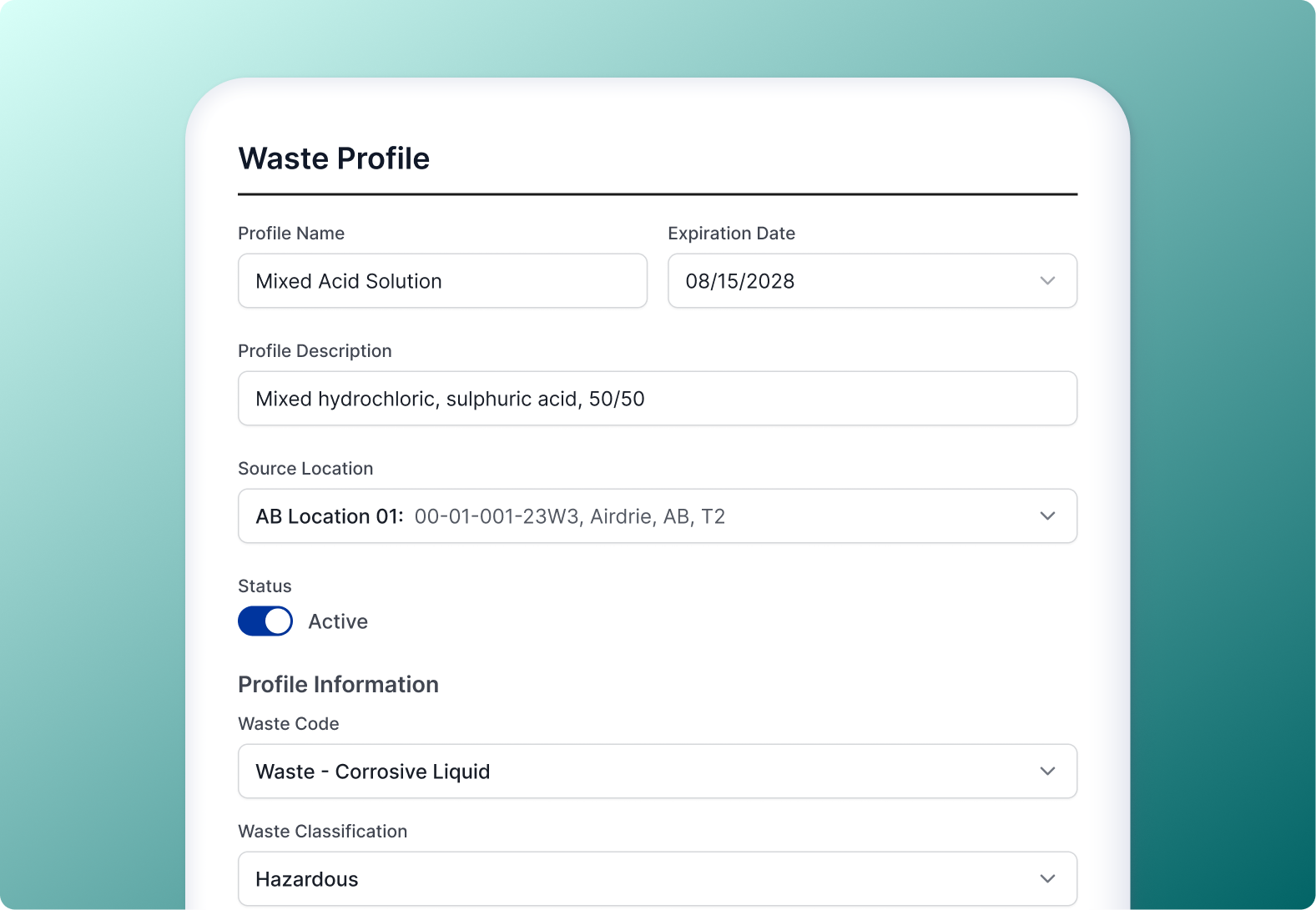
A waste profile is a saved template for a material you handle regularly. It stores everything needed to classify that waste and generate accurate documentation, so your team can add a line item in seconds instead of looking up details from scratch.
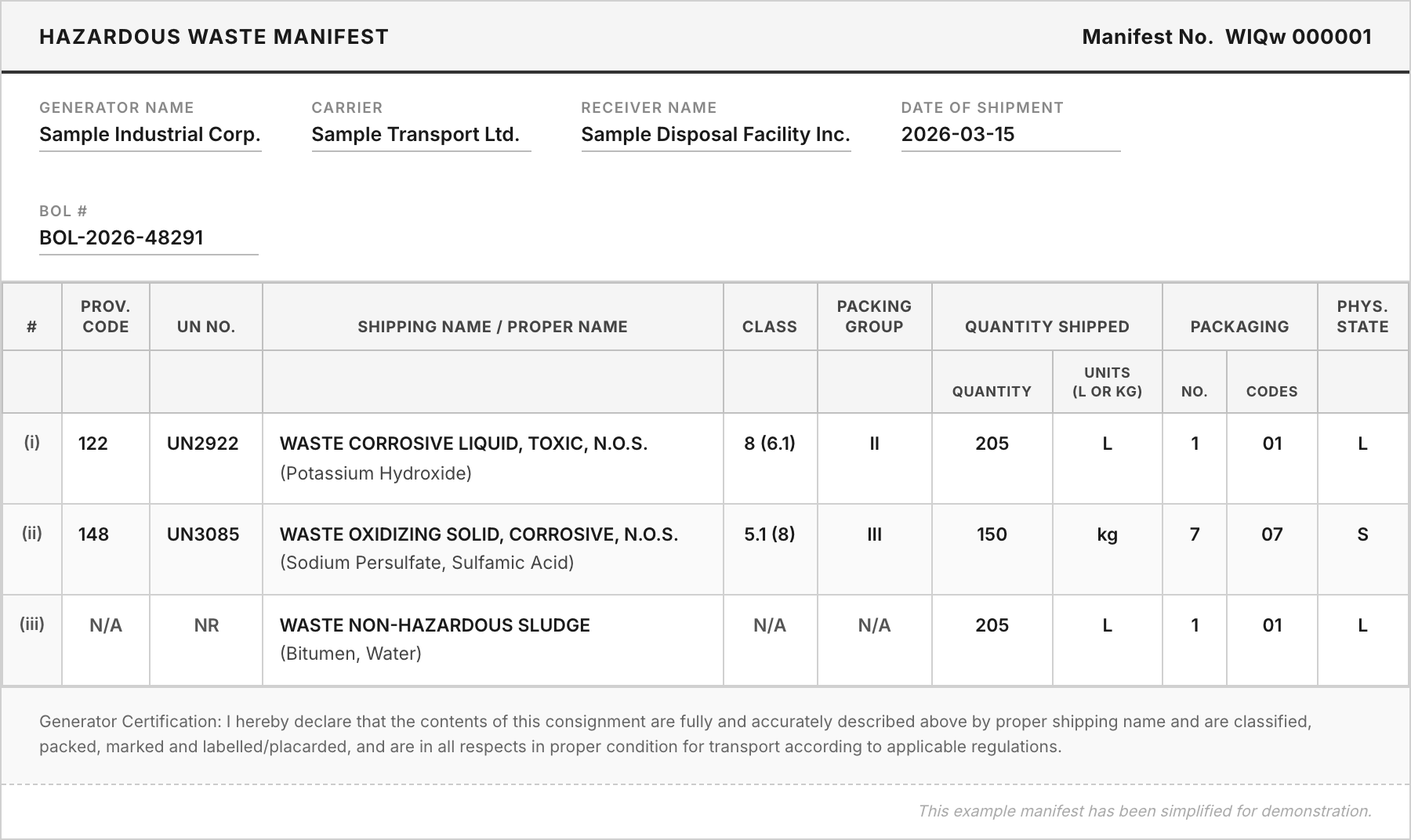
Each line item generates its own row on the manifest, automatically ordered: dangerous materials first, leachable second, non-dangerous last. Quantities and totals are calculated across all lines, producing a single complete document that accurately reflects the full load.
Each waste stream is stored as its own record in reporting, tagged with the WiQ Ticket Number it belongs to. The true breakdown of what was shipped is always a filter away.


WiQ supports as many waste streams as your load requires. When a load exceeds a single manifest page, WiQ adds additional pages automatically.
A multiline shipping document (or manifest) allows multiple waste streams to appear as individual line items on a single document. Each line has its own classification, UN number, packing group, and quantity, all traveling under one document number.
Yes. WiQ supports loads that combine hazardous and non-hazardous waste streams. The system automatically determines the appropriate documentation and orders line items correctly: dangerous materials first, followed by leachable, then non-dangerous.
A waste profile is a saved template for a material you handle regularly. It stores classification details like UN number, shipping name, packing group, and waste codes. When selected on a line item, these fields populate automatically, reducing recurring data entry to selecting a profile and entering a quantity.
Each line item is stored as its own record, tagged with the WiQ Ticket Number of the shipment it belongs to. You can filter, total, and export by material, waste code, or location. The Ticket Number links all related lines back together when you need to view the full load.
No. WiQ supports as many waste streams as your load requires. If a load exceeds a single manifest page, WiQ automatically adds additional pages with no manual workaround needed.
From mixed material containerized runs to recurring waste streams, WiQ gives your team the tools to document, track, and report every line item accurately.
Request a demo